

Adding a dynamic list to a static Navigation Bar

In one of my APEX applications, I have a table containing a number of website URLs. I want to make it available to the users from anywhere within the application. A logical solution would be to have a drop-down menu in the Navigation Bar. My Navigation Bar list, however, is a static list, whereas the website URLs originate from a table that is maintained by (some) users, and therefore must be a dynamic list.
In the past this would mean that the static list should be converted into a dynamic list, which then would contain all the items in the Navigation Bar. But in the latest versions of APEX, a dynamic list can be added as a subentry to a static list. In this blog post I will show how to do it.
This feature was added in APEX version 23.2, as can be seen from the new features of that release. However, it was not added to the documentation of adding a List Entry until version 26.1.
Creating the dynamic list
First I will create the dynamic list, based on my websites table. The table definition is:
create table ppt_websites
( id   number(10,0)        generated by default on null as identity not null enable
, url  varchar2(1000 char) not null enable
, name varchar2(100 char)  not null enable
, type varchar2(1 char)    not null enable
, constraint ppt_websites_pk primary key (id) using index enable
);
I have inserted a number of rows, consisting of music streaming services (type S), music collection sites (type C) and concert venues (type V):
insert into ppt_websites(name,url,type) values ('Spotify','https://open.spotify.com/','S');
insert into ppt_websites(name,url,type) values ('Deezer','https://www.deezer.com/','S');
insert into ppt_websites(name,url,type) values ('YouTube Music','https://music.youtube.com/','S');
insert into ppt_websites(name,url,type) values ('Discogs','https://www.discogs.com/','C');
insert into ppt_websites(name,url,type) values ('TivoliVredenburg','https://www.tivolivredenburg.nl/','V');
insert into ppt_websites(name,url,type) values ('Baroeg','https://baroeg.nl/','V');
insert into ppt_websites(name,url,type) values ('Ekko','https://ekko.nl/','V');
Now I am ready to create my dynamic list. In APEX, I navigate to Shared Components => Lists, where I see the two lists I currently have.
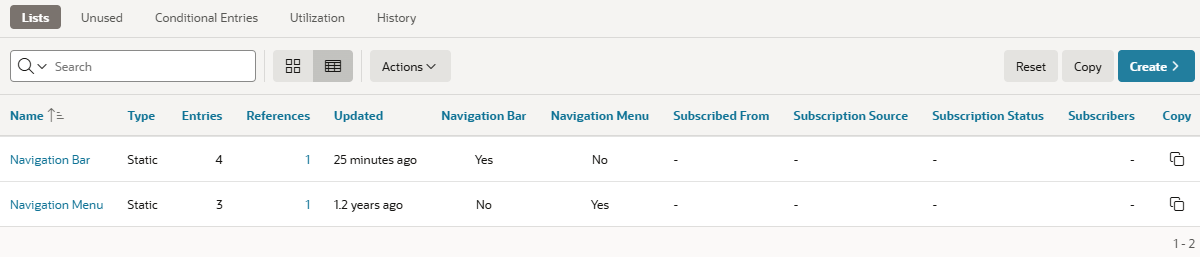
I click the Create button, I enter a Name for my dynamic list, and I choose the option Dynamic:
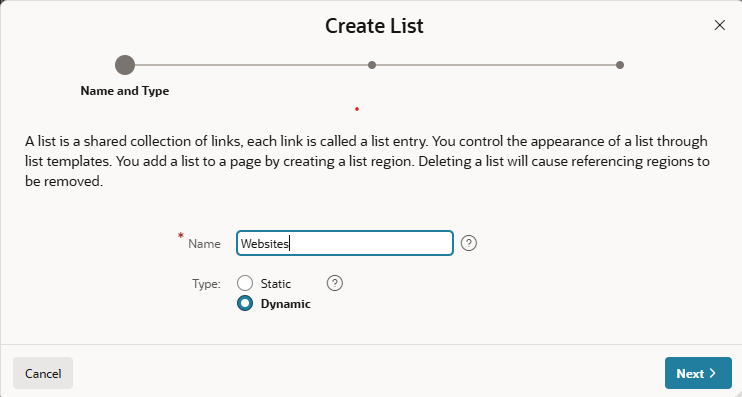
I click Next, and then I must enter the query for the dynamic list. The first two selected columns are mandatory. The first column position is the depth level in the hierarchy. This makes it possible to create complex hierarchical menus, but here we only need one level, so I just pick 1. The second column position is the label of the list entry. The third column position is the target URL, which is also convenient to include. So, my query will be:
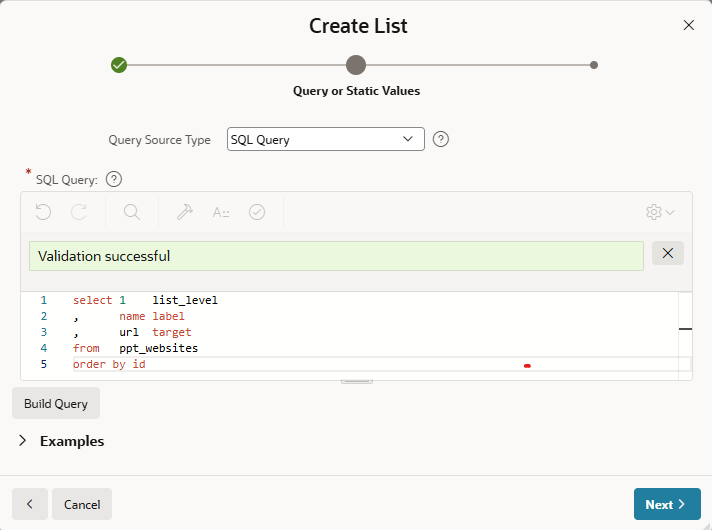
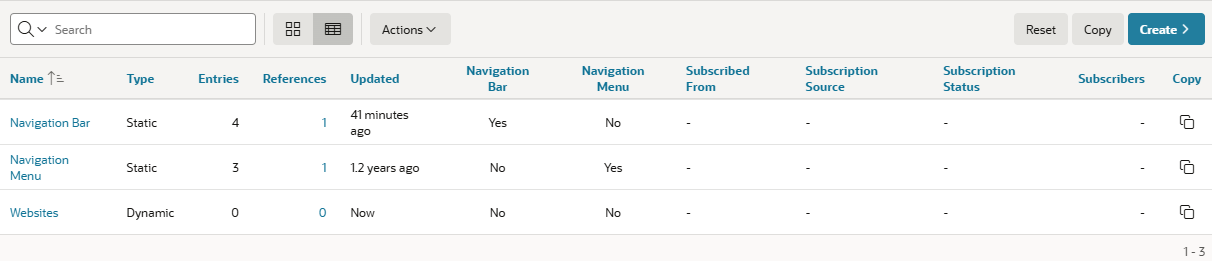
Then I click Next, and then Create List. Now my dynamic list is created:
Adding the dynamic list to the Navigation Bar
When I click on the Navigation Bar list, a new page opens showing the entries of this static list:
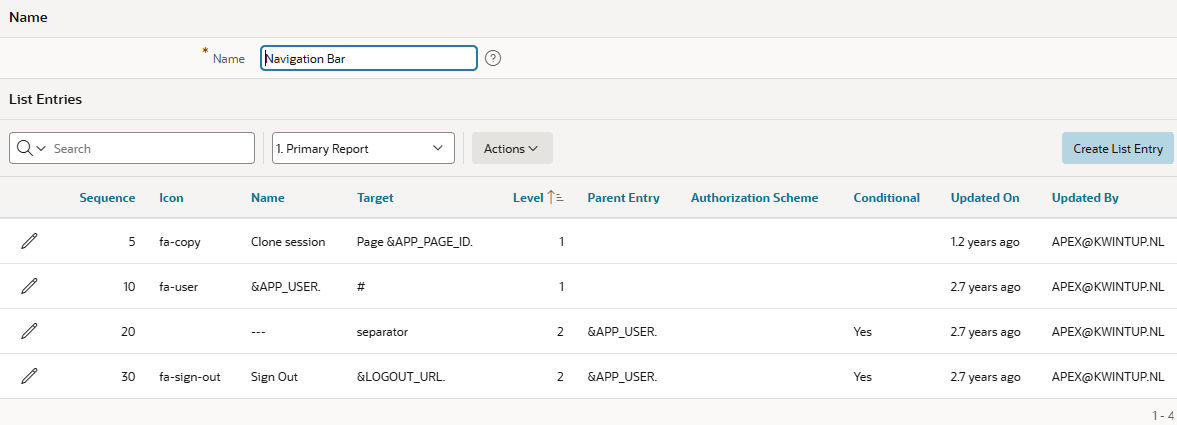
I see the &APP_USER. and Sign Out entries, which were added as default when the application was created, and the Clone session button, which I added previously (described in my blog post "Add a Clone Session button to your APEX application"). In the application it looks like this:

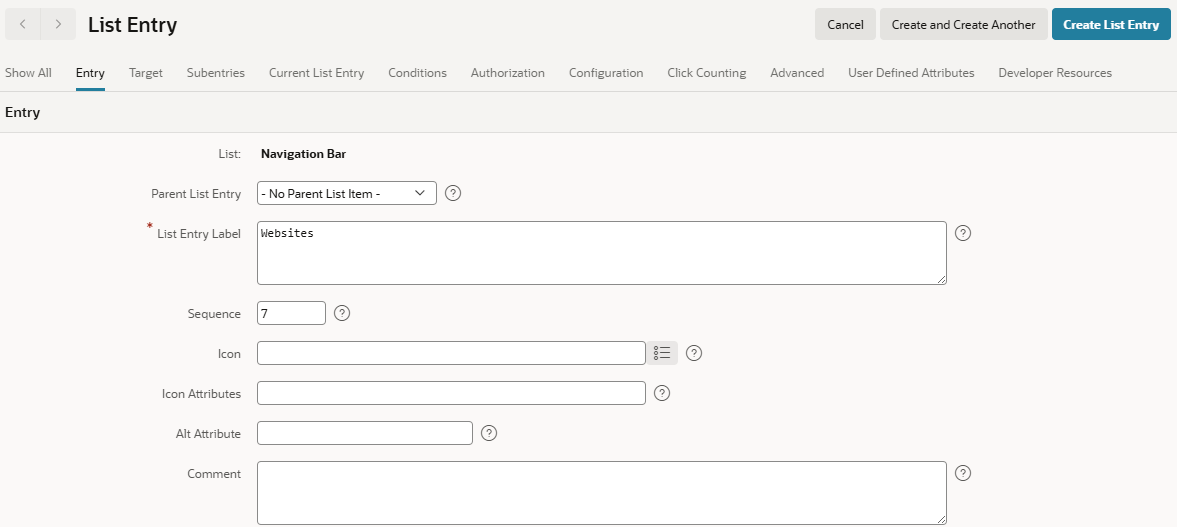
Now I want to add my dynamic website list between the Clone session and the user button. So, I will create an entry by clicking the Create List Entry button. In the Entry part, I enter the Label ("Websites") and I change the Sequence to 7:
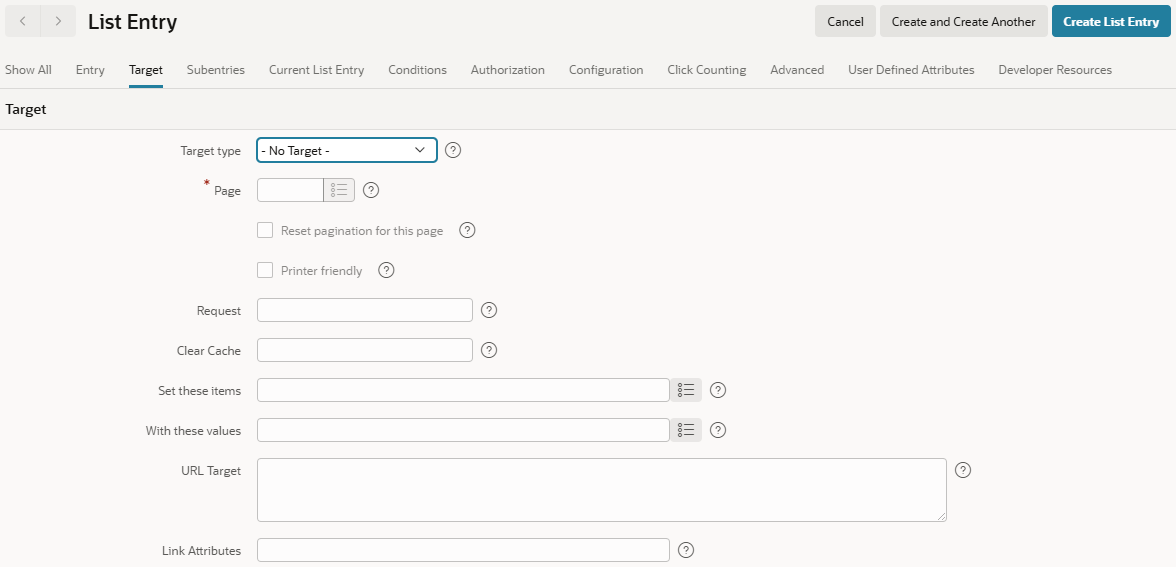
In the Target part, I change the Target type to - No Target - (the drop-down button will not have a target, only the subentries):
And then the most important part, in the Subentries part, I choose the dynamic Websites list:

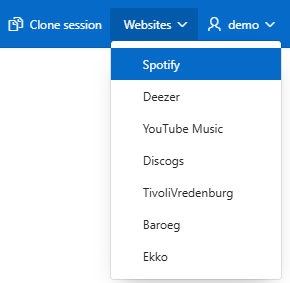
Then I click the Create List Entry button, and my Navigation Bar list is updated. When I refresh my application, I now see the new websites drop down menu in the Navigation Bar:
Adding the "target" user attribute to the list
When I click on the entries in my new list, the URL opens in the same browser tab as my application, navigating away from the application. A better option would be to open the URL in a new browser tab. We had the same situation with the Clone session button in the static list (described in that blog post), and we solved it with the User Attribute 6 of the Navigation Bar list template (which is the target attribute of the HTML link). Fortunately, we also have User Attribute 6 available in the dynamic list, which corresponds to column position 13 in the query.
The full list of column positions in a dynamic list can be found in the documentation.
So, I change the query of the Websites dynamic list to:
select 1        list_level
,      name     label
,      url      target
,      null     is_current_list_entry
,      null     image
,      null     image_attribute
,      null     image_alt_attribute
,      null     attribute1
,      null     attribute2
,      null     attribute3
,      null     attribute4
,      null     attribute5
,      '_blank' attribute6
from   ppt_websites
order by id
Now all the websites' links open in a new browser tab.
Comments
Join the discussionNo comments yet. Be the first to comment.