

Opening an APEX Modal Dialog through a custom link

Recently I had the challenge of building a report and edit form in APEX based on a database table. Pretty standard in APEX, but in this case, there is some complicated logic which determines which rows can be edited and which not. So, I cannot just use the standard link column in the interactive report. And because I want to separate business logic and presentation, I want to keep the logic in the database, and the link HTML and icon in the APEX page.
Creating a custom Edit link
In my example I use the table PPT_WEBSITES, which I have defined in a previous blog post. On this table I create the view PPT_WEBSITES_V. This view includes a CAN_EDIT column, which can be either Y or N, depending on the business logic if a row can be edited or not. For this example, I use a random function replacing the business logic.
create or replace force editionable view ppt_websites_v as
  select wse.id
  ,      wse.url
  ,      wse.name
  ,      wse.type
  ,      case trunc(dbms_random.value(0,2))
           when 0 then 'N'
           else 'Y'
         end as can_edit
  from   ppt_websites wse;
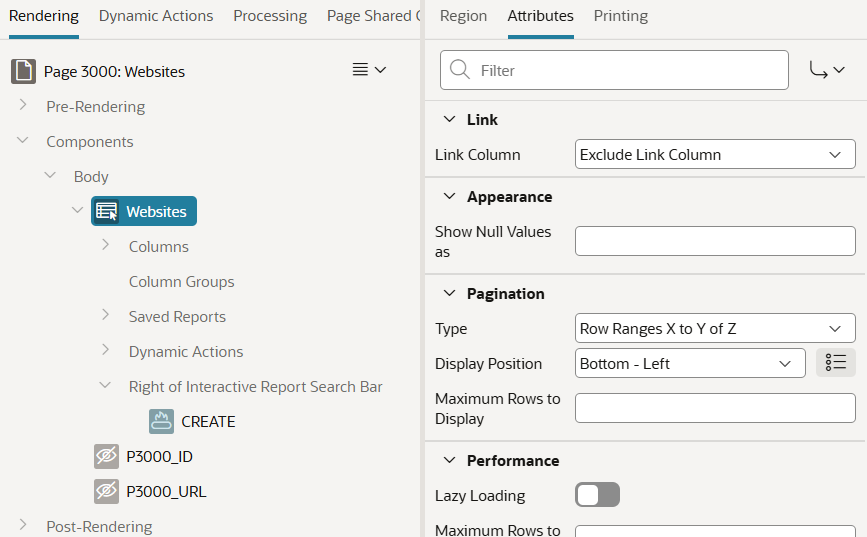
I use the APEX wizard to create an Interactive Report and a Form on the PPT_WEBSITES_V view. In the resulting report, I must switch off the default Edit link, by choosing “Exclude Link Column” in the Attributes.
Then I must create my own Edit link. This I can do by using Template Directives in the HTML Expression on the CAN_EDIT column. When the value of CAN_EDIT is ‘Y’ (every value that is not ‘N’ corresponds to ‘true’ in Template Directives), I show the Edit icon, else I show nothing.
{if CAN_EDIT/}
<span class="fa fa-edit wse-edit" title="Edit" data-id="#ID#"></span>
{else/}

{endif/}
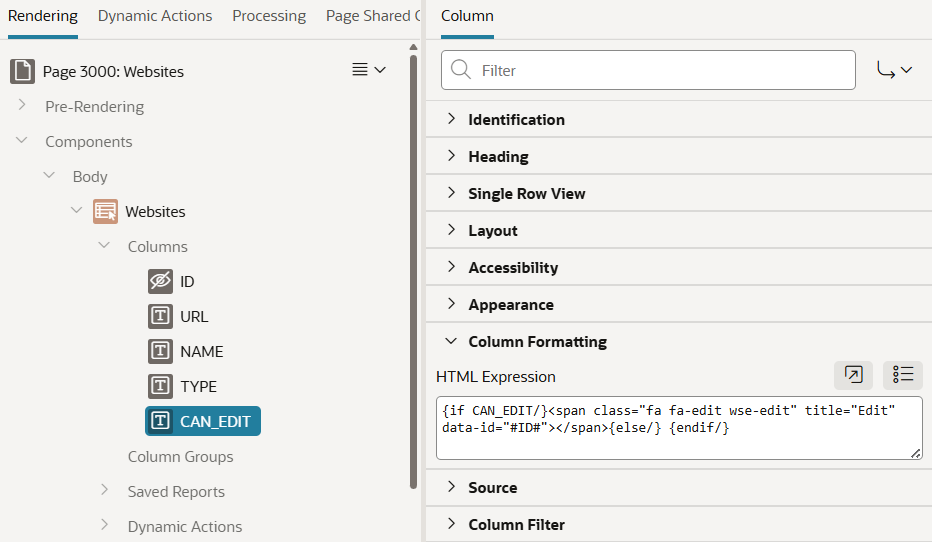
In the SPAN tag I use the fa and fa-edit classes to show the Edit icon. I include an extra class wse-edit to be able to define a Dynamic Action on it. Also, I include an attribute data-id to store the row ID, for the same purpose.
Now I can define the Dynamic Action, on the Click event of the jQuery selector .wse-edit:
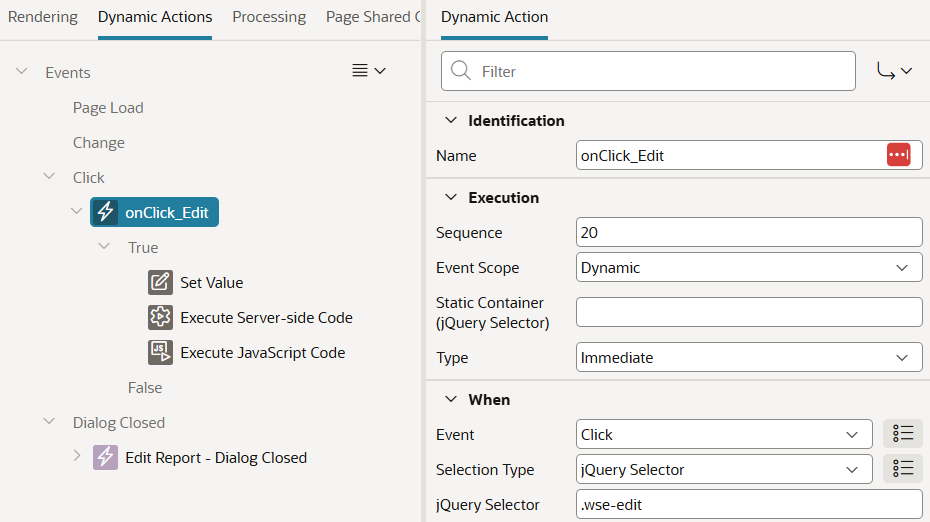
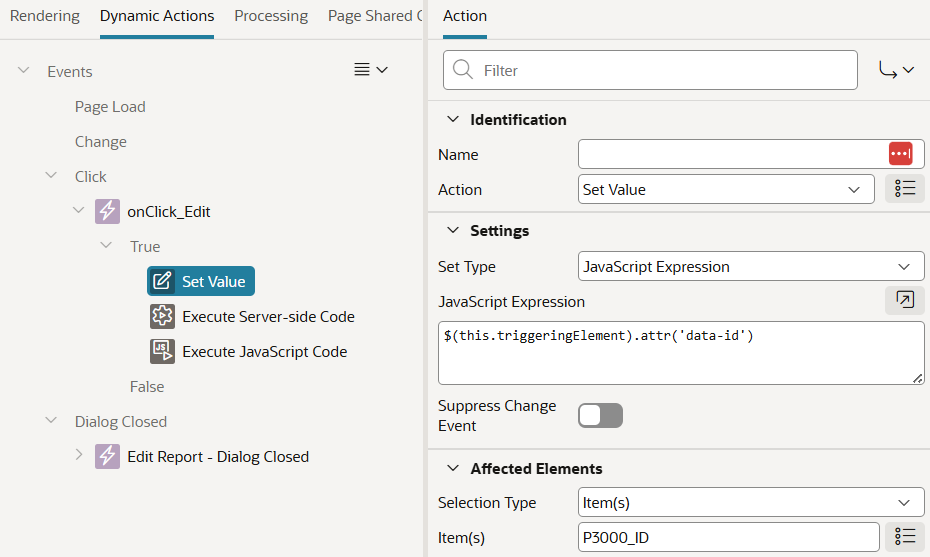
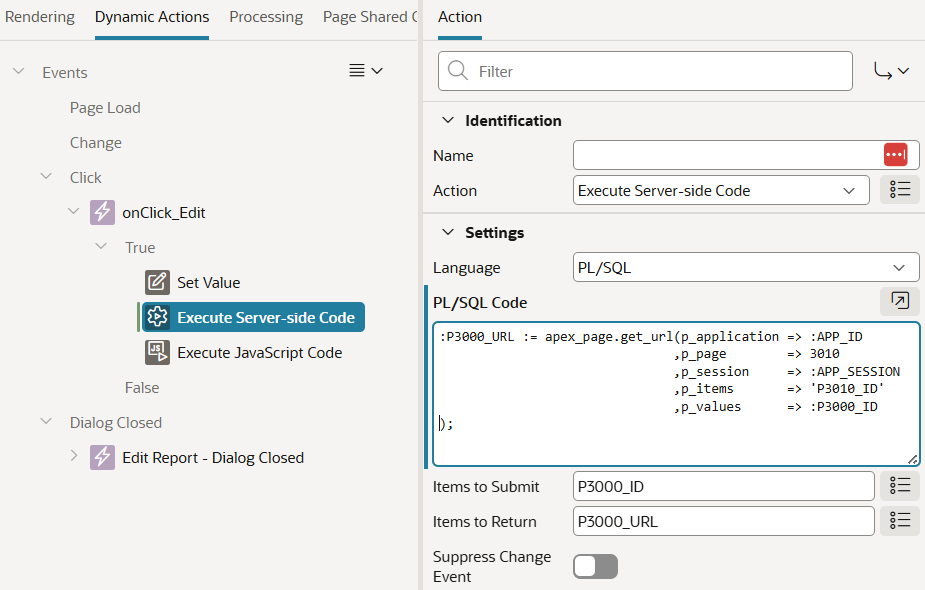
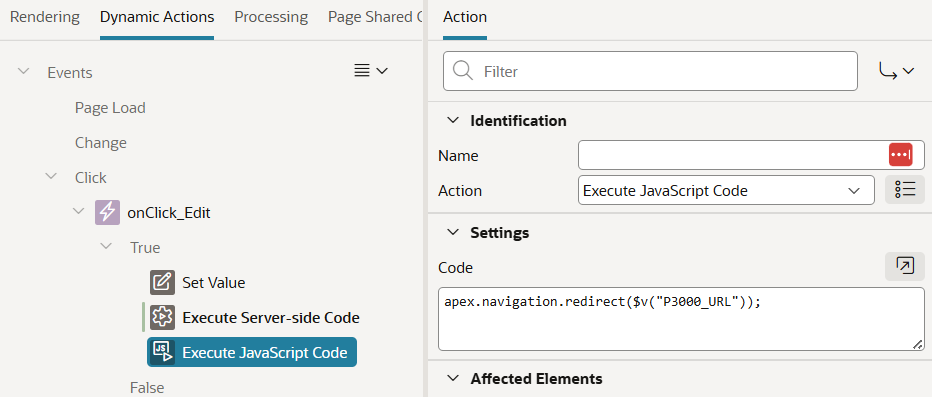
The action that the DA should trigger is to open the Modal Dialog page, using the ID of the row where the Edit link is clicked. I first tried to do it by building the URL of the Edit page using JavaScript, but I could not get it to work with the right ID and a correct checksum. So, I decided to use the Server-side function APEX_PAGE.GET_URL to build the URL. In this case I must create two Page Items, one for the ID and one for the URL. The first step is to set the ID Page Item with the row’s ID (attribute data-id). The second step is to build the URL and store it into the URL Page Item. The third step is to call the URL from JavaScript. This results in the following three True Actions:
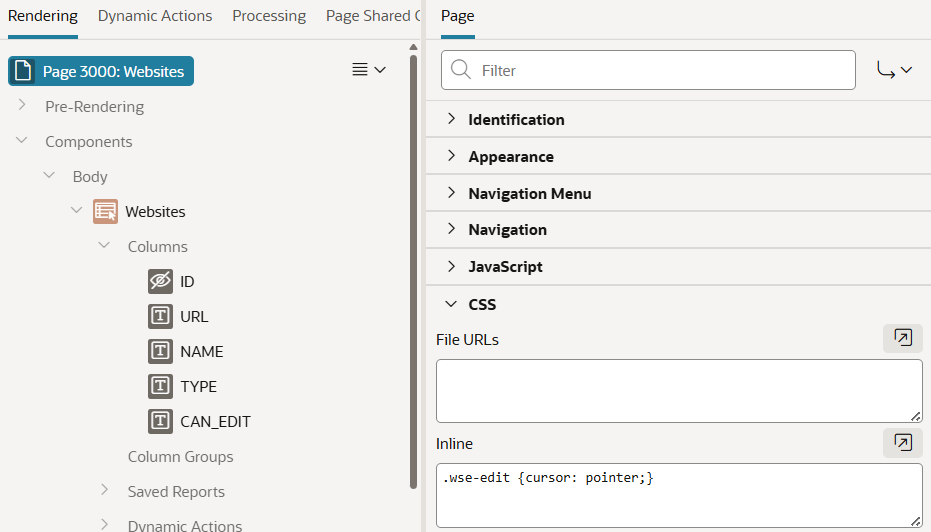
To show the user that the Edit link is clickable, it is nice to change the mouse-pointer when hovering over the Edit link. This can be done by some Inline CSS on the Page:
.wse-edit {cursor: pointer;}
Now when I run the page the Edit links are visible, and clicking on one opens the Edit page for that row.
Refreshing the report
When I used the APEX wizard to create the report and form, APEX also generated a Create button for me. When I use this button to open the modal dialog, fill in some data, and then click the Create button on the form to create the row, the modal dialog is closed, and the report is automatically refreshed. The mechanism of this is as follows:
On the modal dialog page, the last process in the Processing section is of type Close Dialog, which is executed when the Create (but also Save or Delete) button is pressed.
On the report page, a Dynamic Action is defined which is triggered by the Dialog Closed event. The Dynamic Action refreshes the Interactive Report region of the page.
However, when I edit a row in the modal dialog which is opened by clicking on my custom defined Edit link, and then press Save, the report is not refreshed. How come?
A closer look at the Dialog Closed Dynamic Action shows that the triggering element is of Selection Type Region, and the region is the Websites region:
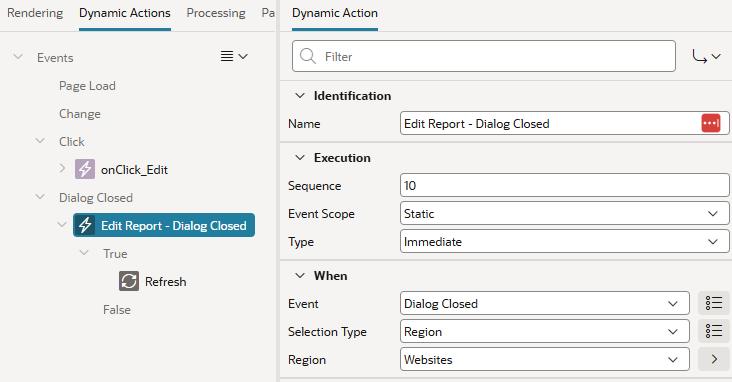
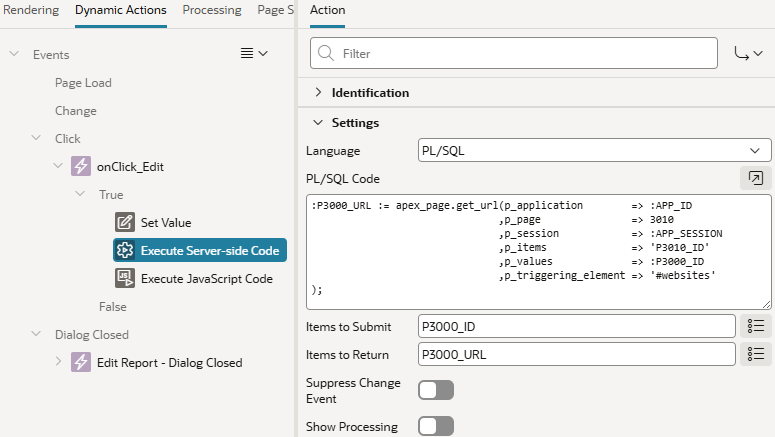
Apparently, the Dynamic Action does not respond to a Dialog Closed event from the modal dialog that is opened by clicking the Edit link. Luckily there is a relatively simple solution for this. The server-side function that I use to generate the URL for the Edit page also has a parameter p_triggering_element, which specifies a jQuery selector to identify which element to use to trigger the dialog. Here I can put the jQuery selector for the Websites region, and my Dynamic Action should fire.
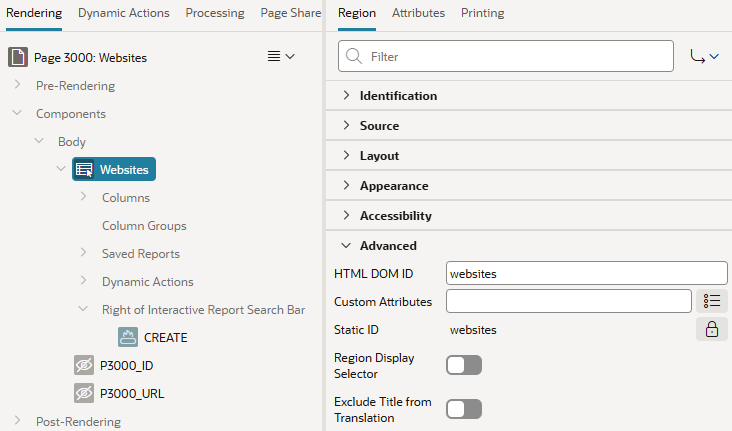
So first I will have to fill in the HTML DOM ID (in pre-26.1 versions of APEX this was called the Static ID):
And then I add the p_triggering_element parameter to the call to APEX_PAGE.GET_URL, with the value #websites, which is the jQuery selector of the Websites region:
Now when I edit or delete a website, the report is refreshed after saving.
Comments
Join the discussionNo comments yet. Be the first to comment.